
1080P HDMI 200 meter IP extender KVM Matrix (1Tx+1Rx)
(No reviews yet)
Write a Review
- SKU:
- KVM-HDMI-IP200



Frequently bought together:
Description
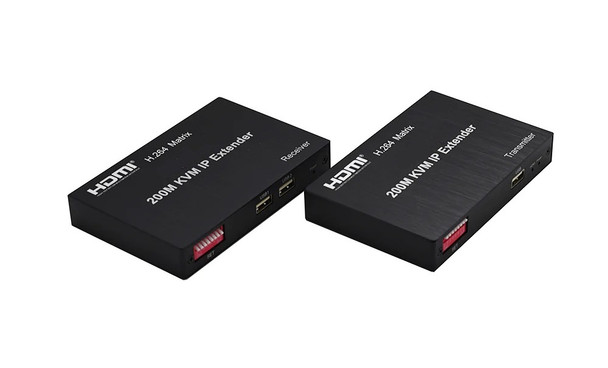
200M HDMI KVM IP Extender is based on TCP/IP standard. It transmits your HD display with the high resolution up to 200 meters away from your DVD or computer source by using one CAT5e/6 cable.
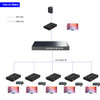
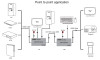
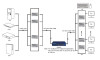
At the same time, it’s convenient to transmit HDMI audio and video source by point-to-point mode, multipoint-to-multipoint and cascade connection mode
Features:
- Support point-to-point mode, multipoint-to-multipoint mode, and cascade connection mode;
- 3 Ethernet standard;
- 264 decode;
- Support unilateral IR return signal, control the source on the far end receiver's side;
- IR code compatible with 38 KHz(NEC)
- Support USB mouse and keyboard extension;
- Support software management during multiple-to-multiple transfers;
- HDMI Resolutions.: 480p,720p,1080p;
- HDMI Audio: Sample rate:32kHz,44.1kHz and 48kHz code;
- The Max Power consumption: HDMI sender:2.5W HDMI receiver:2W
Connection and operation:
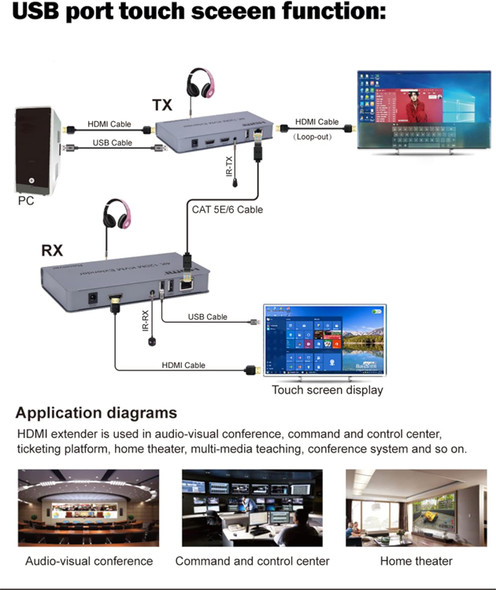
- Connect the HDMI source (such as DVD, PS3, STB) to the “HDMI IN” of transmitter by HDMI cable.
- Connect the “HDMI out” of Receiver to HDTV display by HDMI cable.
- Connect the Transmitter and Receiver with one cat5e/6 cable (recommend).the furthest distance is 200M.
- Connect the “IR receiver “into “IR-RX” port on receiver, and “IR transmitter” into the “IR-TX” on transmitter, and make sure the IR transmitter aim at IR port of the source.
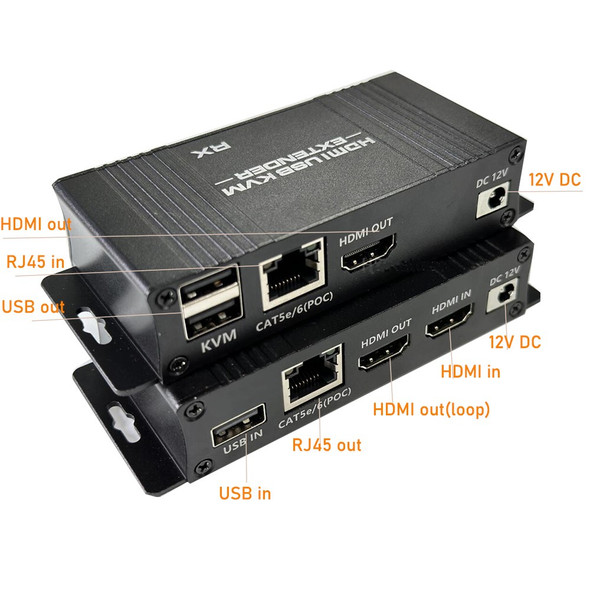
- Plug the mouse and keyboard into the USB port of the receiver, and connect the USB port of the transmitter with the computer if you need the KVM control function.
- Connect two pieces of 5V power supply to the transmitter and receiver, and power on the HDTV display and HDMI source.
- Multi-to-multipoint matching setting: As multiple TX and multiple RX units are connected to switches, you can use management software for pairing management
Related Products
Related Products


Wireless 4K HDMI 200 meter extender KVM
Product Introduction1. Modular design to assemble for Extender, splitter, Matrix and Switcher for 1xN/Nx1/1x1 application.2. Extends 4K 30P, 1080 60P HDMI signal up to 180m (600ft) over wifi signal...
KVM-HDMI-WL200-4K


HDMI KVM Ethernet Cable Extender 150 meter support 1080P
[1080P HDMI KVM USB Extender] This HDMI KVM USB Extender can transmit high-quality HDMI and 2 USB signals (keyboard and mouse) over a single CAT6 cable, supports up to 1080P high-quality picture.
[2...
KVM-HDMI-EXT2-1080

HDMI KVM Ethernet Cable Extender 120 meter 4Kx60hz
The Extender uses single cat5e or cat6(recommended) cables instead of HDMI cable to transmit high definition signal up to 120 meters, cutting down the cost. The Extender is designed to supply for...
KVM-HDMI-EXT-4K120

HDMI KVM Ethernet Cable Extender 60 meter support POC 1080Px60hz HDR
Description:This HDMI extender provides extension of HDMI signals long distances over a single CAT5e/6 cable, it supports high resolution up to 1920x1080@60Hz, POC, HDMI loop out and KVM Remote...
KVM-HDMI-EXT-1080

Wireless HDMI 1080P Extender 60 meter (1 to 1; 1 to multi)
Features
Free Yourself from Cables! Instant HDMI Transmission.
This Wireless HDMI Transmitter and Receiver Kit eliminates the hassle of traditional cables with a compact and portable design.
Maximum...
HDMI-EXT-1080WLS